When this feature is enabled, you’ll see a blue circle on your chart before you run AutoCounts. This blue circle shows you where your count will start.
Read more about Automatic Pivot Detection.
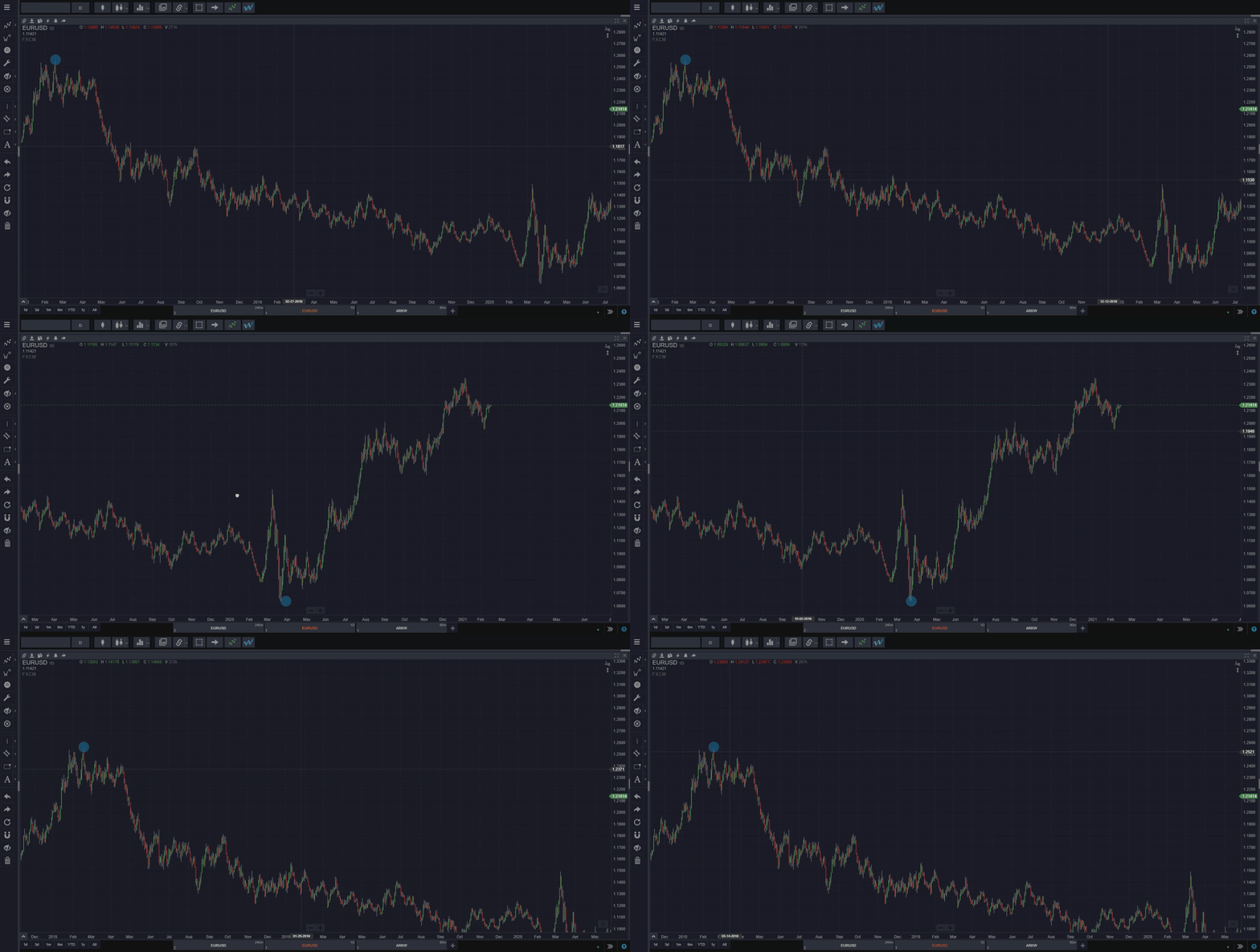
When this feature is enabled, you’ll see a blue circle on your chart before you run AutoCounts. This blue circle shows you where your count will start.
Read more about Automatic Pivot Detection.
Find out on our blog how Fibonacci levels must be calculated to properly measure and compare market moves and practice Elliott Wave analysis successfully…and how most platforms don’t calculate them correctly.
Check the article on our blog to find out where you should start an Elliott Wave count.
However, you should first make sure you know how to establish a long-term wave count context.
Check the article on our blog to find out how to get the best results with the Wave Scanner.
WaveBasis CEO Stephen Simmons discusses the most important aspects of applying Elliott Wave analysis to any market from start to finish. He talks about grounding your mindset to that of a trader rather than a gambler. He shows several examples of establishing a long-term Elliott Wave count context, from clear textbook wave counts to more advanced market cases.
This video is a must-watch for anyone who wishes to improve their Elliott Wave Analysis skills and improve the accuracy and reliability of their market forecasts.
Stephen gives detailed real-world examples of how to use probability to compare wave counts and how to choose the right wave count. He walks through the key stages of the successful practice of Elliott Wave analysis including working from higher timeframes down to smaller time frames to find high-probability market turning points.
This video also provides valuable tips highlighting how to leverage the powerful features included in WaveBasis to align your trading with known probabilities inherent in Elliott Wave patterns. This includes how to use WaveBasis’ Smart Tools to quickly and easily identify areas of confluence, an essential Elliott Wave concept.
Updated forecasts for markets shown in previous videos are also presented including current wave counts for Silver, Gold, Ethereum (ETHUSD), Tesla (TSLA), with the new addition of USDMXN.
Get insights on these essential topics:
Recorded on June 12, 2024.
It’s easy!
You can change your subscription plan by opening your account manager window from the main menu in the top left of your workspace and selecting a plan, as illustrated below.
NOTE: Upgrades are billed immediately and on a prorated basis. You will only pay the difference between your old plan and your new plan if you’re upgrading in the middle of a billing cycle. Your billing date remains the same. Learn more about how plan changes are billed.
1. Open the account manager window from the main menu:

2. Then navigate to the Plan & Billing tab, click “Change my plan” and select your new plan.
 3. If you have a coupon or promo code, enter it into the space located at the bottom left corner of the Plan & Billing tab. Click the “Apply promo code” to confirm that you’ve entered the promo code correctly and to make sure the code is valid:

4. After you’ve selected a plan and billing option, click the green “UPGRADE NOW” or “DOWNGRADE NOW” button depending on the change you wish to make, then confirm that you want to subscribe to your new plan when the popup window opens.

 That’s it. You’ll upgrade or downgrade to the plan you selected and immediately have access to its features and benefits.
For more details, please visit our pricing page.
You can subscribe to the plan of your choice by opening your account dashboard from the main menu in your workspace. Learn more.