- Charts
Can I view more than one chart at a time?
Yes!
Depending on your subscription plan, you can view up to 12 charts simultaneously on a single tab. And…since you can have many active tabs…you can have many many active charts in WaveBasis. You’ll forget that you’re using a browser.
See also: The Workspace
- Wave Counts
How do I run an automatic wave count?

It’s as simple as clicking the blue WaveBasis logo in the top toolbar.
You can learn more about Automatic Wave Counts in our reference guide.
- Wave Counts
How many bars should I include in an automatic wave count?
This is the wrong question to ask…a more appropriate question is “where should I start an Elliott Wave count?”
This question is answered in detail in this article on our blog!
- The Workspace
Gadgets
There are two Gadget areas, one on the right and one at the bottom of the workspace. You can see how to access the gadget areas in the animation below.
Gadgets are a collection of guides and trading decision support tools that extend the power and functionality of the WaveBasis workspace. Gadgets can be easily added to your workspace and gadget areas can be easily displayed or hidden as shown below.
See The Gadgets for further details about each of the available gadgets.
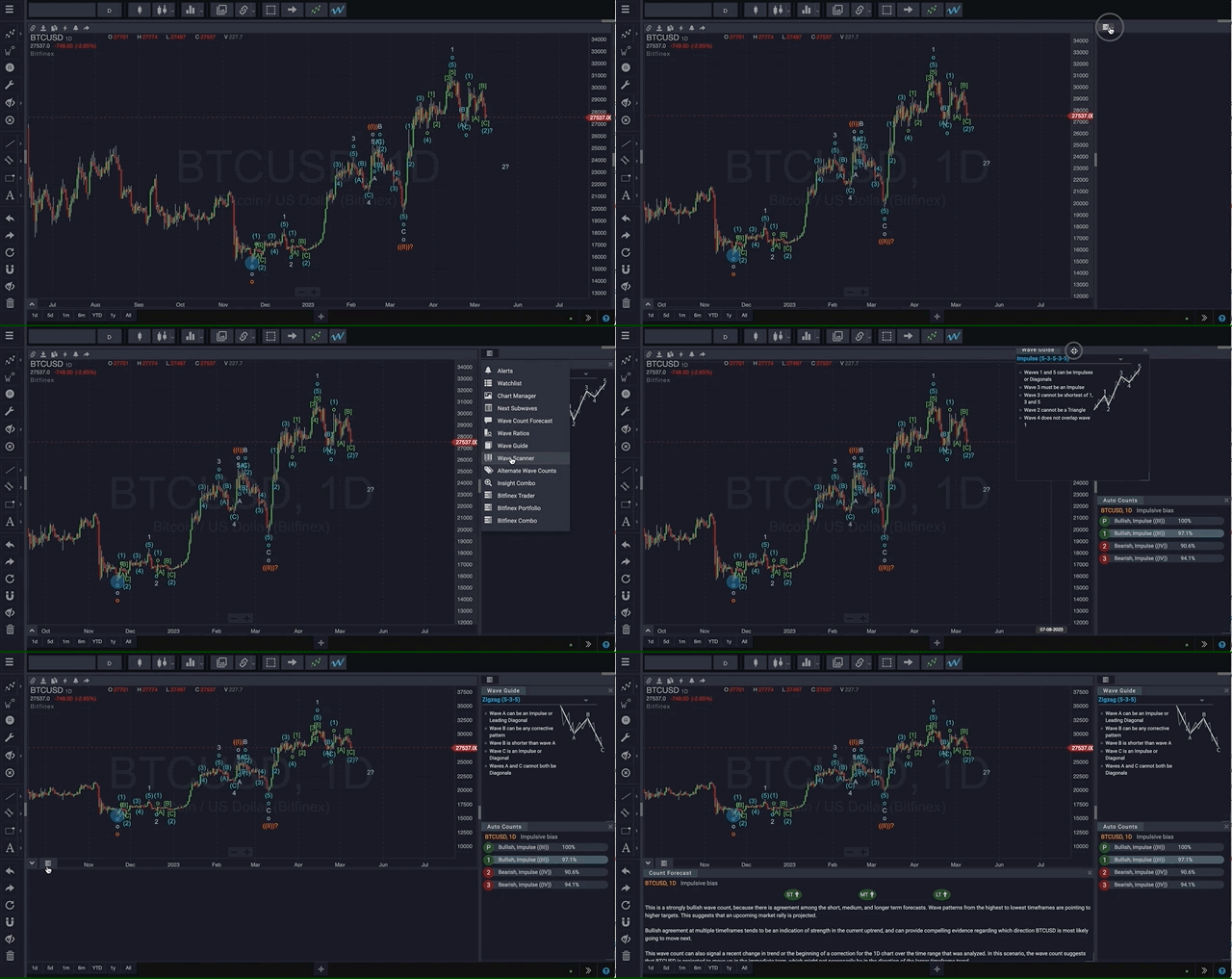
You can also customize your workspace further by moving gadgets to arrange them the way you like, or resizing gadgets by dragging them from the bottom right corner as shown below.
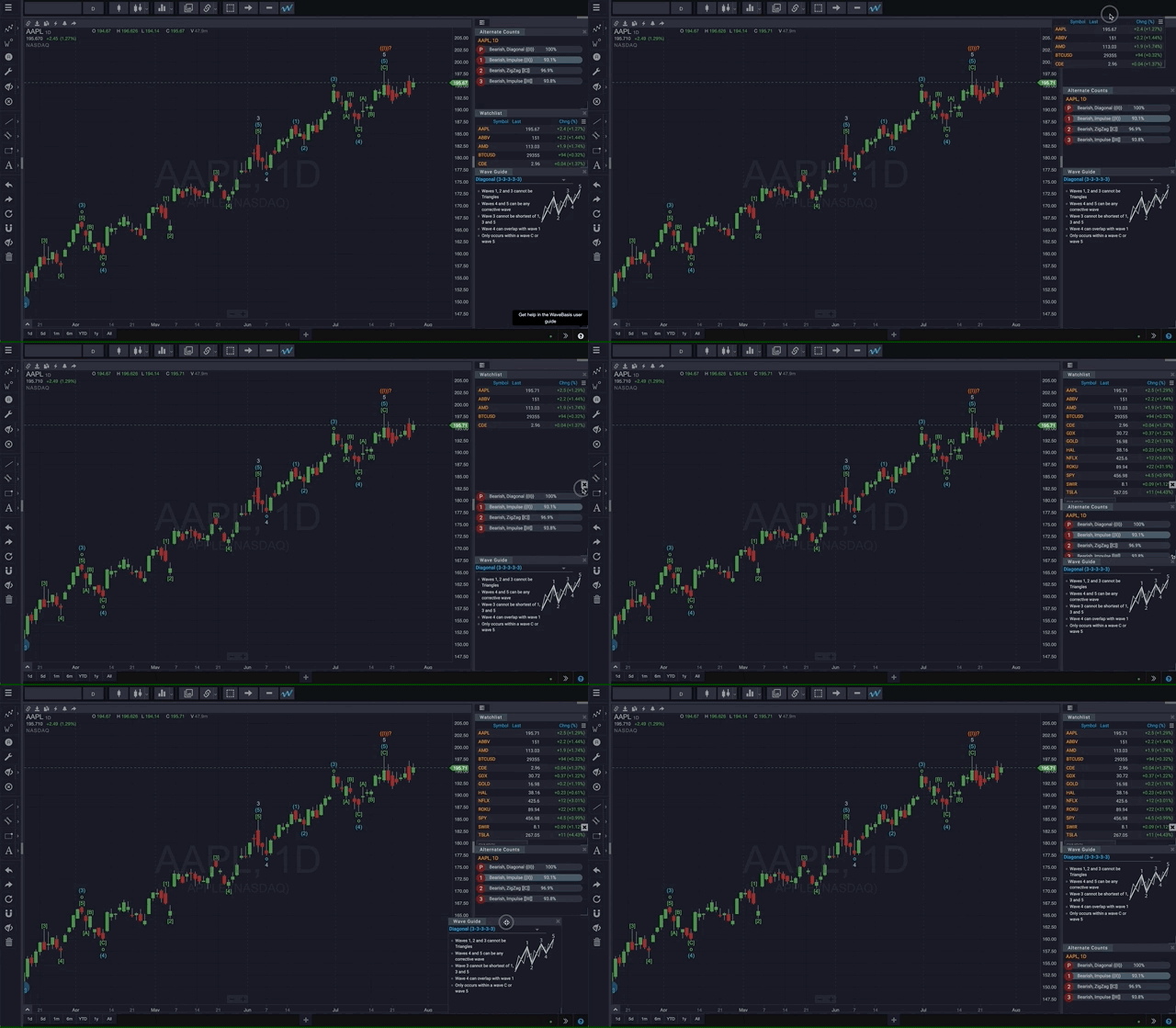
- The Workspace
Tabs and Tab Layouts
The WaveBasis workspace supports multiple tabs, each of which can display a different chart layout. Each chart layout can contain a different number, arrangement, and style of charts.
There won’t be any tabs the first time you log in. Along the bottom of the workspace, in the center of your screen, you’ll see a “+” sign. Click the “+” to add a tab.

Tabs appear along the bottom of the workspace, and each tab displays some information about the contents of the tab, to help you more easily keep track of what’s on your tabs when they are not currently being displayed.

When a tab is currently selected and is being displayed, the symbol is shown in orange:

NOTE: Tabs can be reordered by drag-and-drop
NOTE: Delete a tab by clicking the ‘X’ that appears when you hover over the tab
Each tab can contain multiple symbols, so you can quickly set up a collection of symbols you are watching. Add a tab, then select a chart layout. For instance, select a four-chart layout and set each of the four to a different symbol:

You might also set up a tab with a chart layout that allows you to follow the same symbol in different chart resolutions:

- Reference Guide
The Workspace
The WaveBasis workspace provides a comprehensive charting and analysis environment and includes a number of unique features not typically found on web-based charting platforms. Whether you trade a small handful of markets or track a larger number of securities at multiple time frames, the WaveBasis workspace can easily accommodate your objectives.
The workspace is also designed to be easy and intuitive to navigate, and provides a set of tools that you can use to customize it for your workflow and trading style. There are a few main components of the workspace as discussed below.
- WaveBasis
How does WaveBasis work?
The foundation of the research that underlies WaveBasis actually dates back more than 20 years, however, it wasn’t until recent years that technology caught up to that original vision. This reignited a desire to capture the Elliott Wave approach in a more objective and comprehensive way.
Flowing from that desire, WaveBasis has devised a computational technique for automatically producing Wave counts by reliably detecting Elliott Wave patterns in price data. The approach properly implements the core Elliott Wave rules, and is intrinsically cognizant of the fractal nature of the patterns. Additionally, the system allows for a high degree of flexibility in selectively applying Elliott Wave guidelines to influence the core pattern detection process.
The WaveBasis engine uses proprietary statistical and machine learning algorithms, along with expert system techniques, to apply the rules and guidelines of the Elliott Wave methodology. The layering of these technologies produces the most comprehensive, accurate, and statistically sound automated Elliott Wave intelligence that has ever been made available to the public.
The computational requirements for this technique are substantial…in less technical terms, this means a bunch of fast computers and optimized software are required in order to make it all work.
Of the many ways to approach Technical Analysis of financial markets, Elliott Wave analysis has long been considered one of the most difficult to learn, and difficult to apply consistently in practice. Additionally, Elliott Wave analysis is often criticized for being too “subjective”. This criticism has some merit, because on any given day it’s not hard to find EW analysts with differing wave count interpretations for any given market and period.
WaveBasis is working to change this perception by taking a more scientific and objective approach. And, we’re working hard to make it possible for more people to experience the trading edge that the Elliott Wave methodology offers, which has until now been reserved for a dedicated few. We believe Elliott Wave analysis should be more accessible, and that the Elliott Wave community deserves to be better served with better tools.
A complete platform for automatic detection and analysis of Elliott Wave patterns in financial markets, the WaveBasis tools and algorithms unlock a wealth of never-before-harvested data intelligence to provide unrivaled Elliott Wave-focused investing and trading decision support. This means unprecedented insight into the presence of Elliott Wave patterns in market data – plus innovative tools to help make quick sense of it.
Access to the precision automation afforded by WaveBasis is enabling a far wider investing and trading audience to experience the benefits of Elliott Wave Analysis than ever before, and allows existing Elliott Wave professionals to meaningfully augment their own trading, as well as profoundly enhance the depth and breadth of their service offerings.
This began as an experiment and a curiosity, and has come a very long way. We hope you come along for the ride, because we’re just getting started.
- Charts
How do I scroll, pan, or zoom a chart?
WaveBasis makes studying charts a natural and intuitive experience, allowing you to browse and focus on areas of interest using the zoom and pan tools.
You can learn more about the zoom and pan tools in our reference guide.